Full coverage map for the Rwenzori: MTN & Airtel by camp, where signal disappears; satellite options; device charging & staying in touch with home.
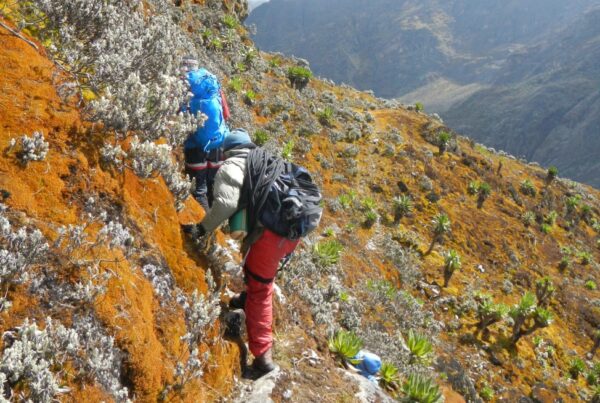
The Moment the Signal Bars Disappear for Good: It happens at a slightly different point on each route, but it always happens. You are somewhere on the lower slopes of the Rwenzori Mountains, perhaps two hours above the Nyakalengija trailhead on the Central Circuit, perhaps shortly after the Sine Camp departure on the Kilembe Trail, and you glance at your phone out of habit. The signal bars that were at one or two during departure are now gone. The signal bars are no longer roaming, emergency-only, or that annoying single bar that never loads. Gone. The screen shows no network at all, and you realise with a mixture of liberation and mild anxiety that you have just stepped off the connected world’s grid for the first time in longer than you can remember.
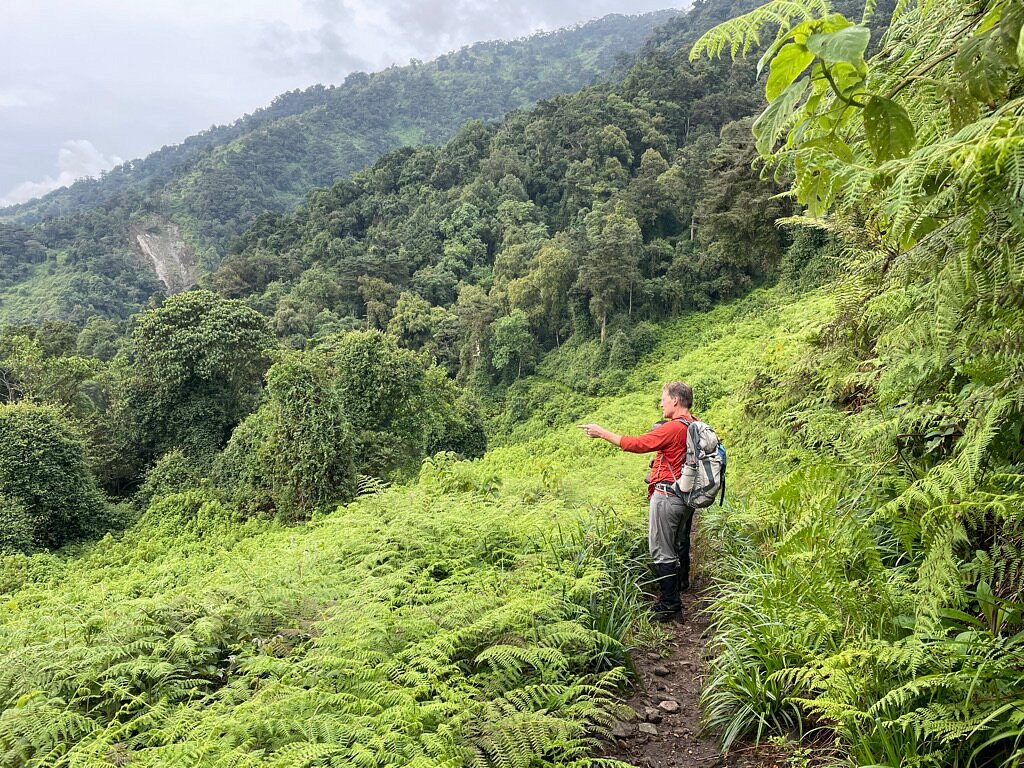
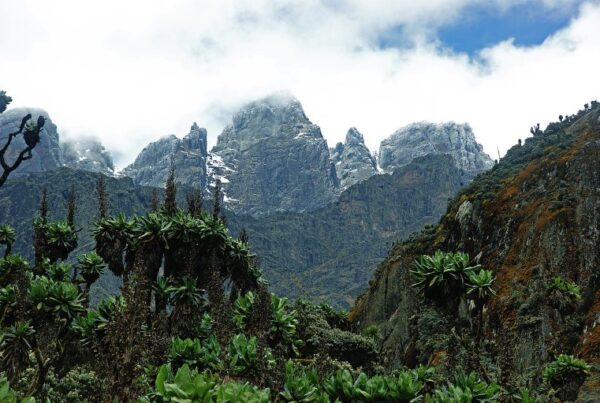
For most international trekkers, this moment is one of the most profoundly unfamiliar aspects of a Rwenzori trekking expedition. In an era when even the most remote trekking destinations in Nepal or Patagonia often have WiFi at teahouses or emergency satellite coverage at base camps, the Rwenzori stands apart. The mountain’s deep valley systems, permanent cloud cover, equatorial forest canopy, and sheer elevation combine to create a connectivity blackout that, for most practical purposes, is complete above 3,000 meters. No WhatsApp updates. No weather app refreshes. No Instagram posts from Elena Hut. Nothing until you descend.
This guide covers the connectivity reality of the Rwenzori Mountains in full. It maps the signal coverage or its absence at every major camp along the Central Circuit Trail and the Kilembe Trail. It explains which Ugandan networks perform best at lower elevations, where and how device charging is possible, what satellite communication options are available and which are worth carrying, and exactly how to set up the communications plan with family and friends at home before you set foot on the trail. You should have fully resolved the connectivity question by the time you reach Nyakalengija.
The Honest Answer: You Will Be Offline for Most of Your Rwenzori Trek
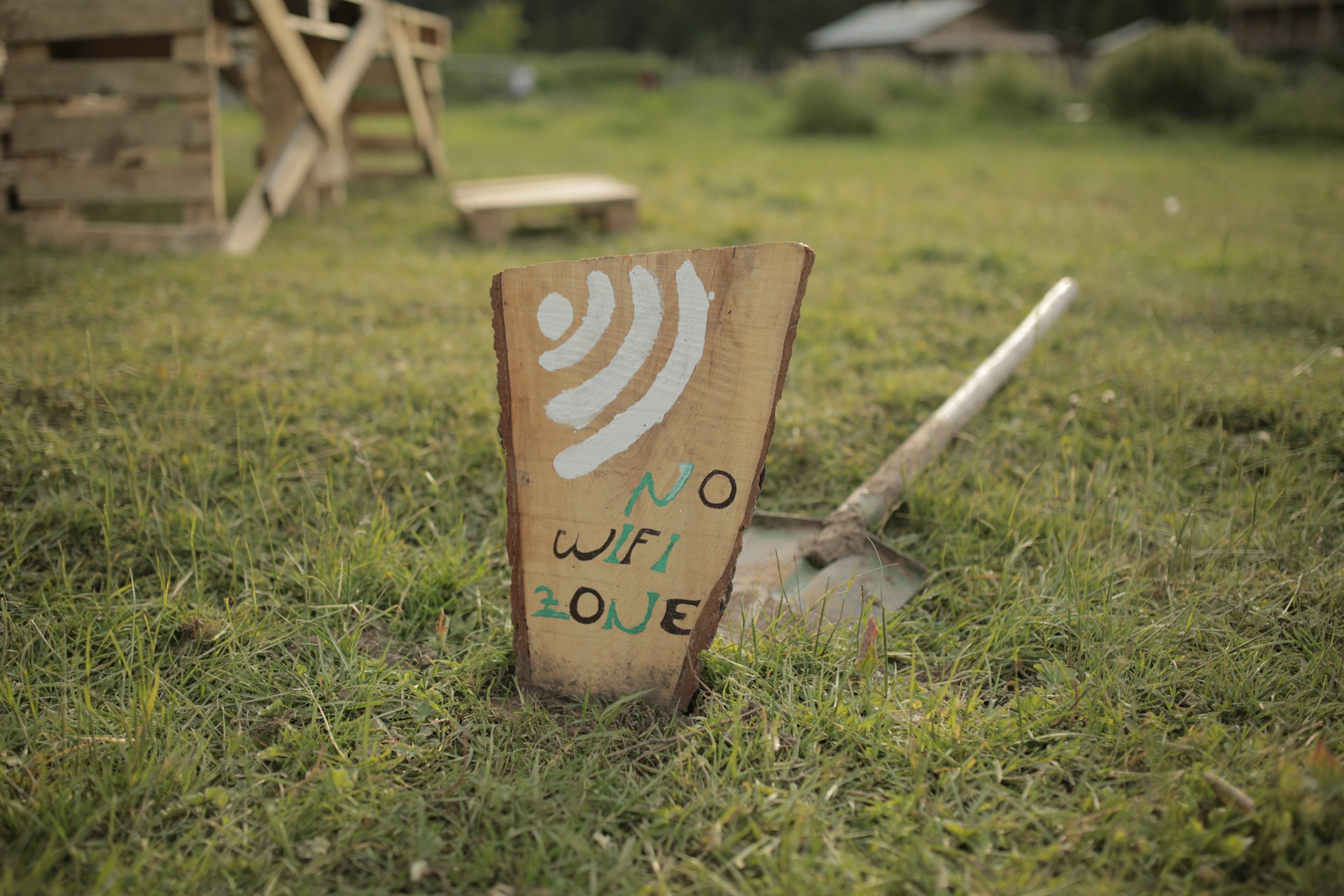
Before getting into the specifics, it is worth stating the central reality plainly, because it is understated or omitted entirely on most general Uganda travel sites. If you are trekking any route that goes above approximately 2,800 meters on the Rwenzori, which includes all routes to Margherita Peak on Mount Stanley, Mount Speke, Mount Baker, Mount Emin, Mount Gessi, and Mount Luigi di Savoia, you will have no mobile phone signal for the majority of your time on the mountain. There is no WiFi at any camp. There are no internet cafes, no satellite hotspots provided by the park, and no radio relay stations in the main trekking zones. The Rwenzori National Park is not a well-serviced infrastructure environment; it is a genuinely remote UNESCO World Heritage wilderness where the absence of connectivity is a feature of the experience, not a gap to be patched.
This is not a complaint; it is a defining quality of the mountain. The same remoteness that makes the Rwenzori Mountains one of the most extraordinary and least-visited high-altitude wildernesses in Africa also makes them genuinely, completely off-grid. The practical question for trekkers is not whether they will connect the mountain; they will not, but how to prepare for that absence safely, how to communicate the situation to people at home before departure, and whether any satellite communication device is appropriate for their specific trip.
GUIDE INSIGHTEvery season, a small number of trekkers arrive at Nyakalengija expecting something like the connectivity experience of a Mount Kenya trek or a Kilimanjaro ascent: patchy but present. The Rwenzori is categorically different. The valleys are deep, the forest canopy is dense, the cloud is almost permanent, and the terrain blocks every signal pathway. I have guided trekkers who found the disconnection unsettling on the first day but valued it by the last. The mountain teaches you, quietly, that you do not need to be contactable to be safe. |
MTN and Airtel Uganda: How Coverage Works Around the Rwenzori
Uganda’s two dominant mobile networks, MTN Uganda and Airtel Uganda, both have coverage in Kasese town and the broader foothill area surrounding the Rwenzori National Park. Understanding how each performs as you ascend the mountain is useful for managing your final connected hours before the blackout and for knowing what to expect on the very lowest sections of each trail.
MTN Uganda
MTN Uganda is the larger and more extensively deployed network in western Uganda, and it provides better coverage on the lower slopes of the Rwenzori compared to Airtel. In Kasese town, MTN provides reliable 4G data services. At the Nyakalengija trailhead, the entry point for the Central Circuit MTN signal is present but reduced to 2G or 3G, depending on the tower load and weather conditions. This is the last location where you can reliably send messages, upload photos, and make voice calls before beginning the ascent. As the trail enters the forest proper, above Nyakalengija, the MTN signal becomes intermittent within the first hour and effectively disappears within two hours of walking.
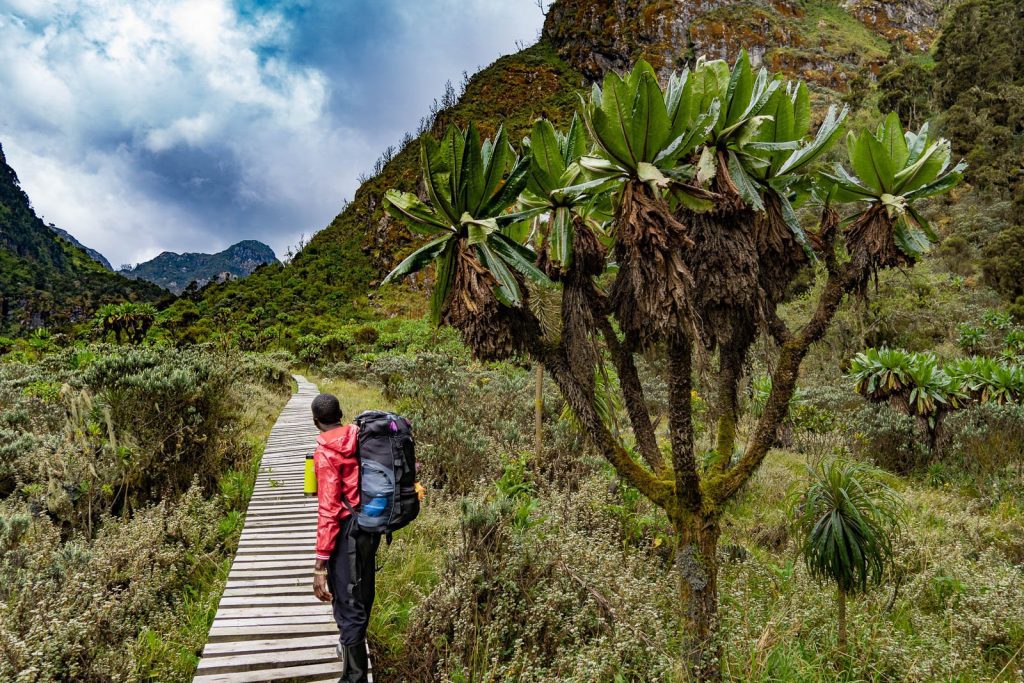
At Nyabitaba Hut (2,651 meters on the Central Circuit), some trekkers report picking up a faint MTN signal when they hold their phone’s arm’s length above their heads or climb briefly to higher ground near the hut. This is not reliable; it depends heavily on atmospheric conditions, whether clouds are sitting low that day, and the specific location within the hut clearing. Do not plan a communication event around Nyabitaba’s MTN signal. It may be there, or it may not. Above Nyabitaba, MTN signal is absent for the remainder of the Central Circuit route, including at John Matte Hut (3,414 m), Bujuku Hut (3,977 m), Elena Hut (4,541 m), Kitandara Hut (3,990 m), and on the summit of Margherita Peak at 5,109 metres.
On the Kilembe Trail, MTN performs slightly better at Sine Camp (2,620 m) than Airtel, with some trekkers getting a workable 2G connection in the early mornings when clouds sit higher. At Mutinda Camp (3,749 m), a brief MTN signal is occasionally possible on the open ridge sections above camp during clear weather, but this occurrence is the exception rather than the rule. Above Mutinda, MTN coverage on the Kilembe Trail is absent.
Airtel Uganda
Airtel Uganda provides excellent coverage in Kasese town and along the main roads in the Kasese district, but its penetration into the Rwenzori valleys is marginally weaker than MTN at most points. Airtel signal at Nyakalengija is present but typically 2G and unreliable for data. Airtel signals are rarely observed at Nyabitaba on the Central Circuit. On the Kilembe Trail, Airtel is weaker than MTN from the Sine Camp elevation upwards and effectively absent throughout the upper mountain.
For trekkers who use an international SIM or roaming arrangement, the practical advice is to use MTN Uganda for any local SIM purchase in Kasese; it consistently provides the slightly better coverage in the Rwenzori foothills, which is relevant for the send-off communications at Nyakalengija. International visitors can purchase an MTN SIM at Entebbe International Airport or at shops in Kampala’s city center before travelling to Kasese, and topping it up with a data credit costs a few thousand Uganda shillings. Our guide on how to get to the Rwenzori Mountains covers the Entebbe-to-Kasese logistics, where the SIM purchase can be built into the travel day plan.
Does Altitude Help? The Common Misconception
Trekkers with experience on other mountains, particularly Kilimanjaro, often ask whether gaining altitude on the Rwenzori helps with phone signal, as high points there sometimes provide better signal than valley camps. The short answer is no, and understanding why clarifies the connectivity situation completely. On Kilimanjaro and similar volcanic peaks, altitude can bring a trekker into the line of sight of distant towers because the terrain is less deeply incised. The Rwenzori is a fundamentally different geology, a block-faulted massif with deep, enclosed valleys radiating from a central ridge system. The deep valleys between peaks are not open-sided like a volcanic slope; they are surrounded by ridges that block signals from every direction. Elevation within the Rwenzori’s valley system does not translate to tower line-of-sight. You are not climbing towards coverage; you are moving deeper into a terrain that systematically prevents it. The geological overview of the Rwenzori Mountains’ formation illustrates the block-mountain topography that creates this signal environment.
Camp-by-Camp Signal and Connectivity Reference Table
The table below represents a practical connectivity reference for the major camps on the Central Circuit, the Kilembe Trail, and the Mahoma Loop. Signal presence is marked as strong (✔), weak or intermittent (~), or absent (✘). The solar charging column indicates whether the camp has solar panel infrastructure marked with an asterisk (*) for Kilembe Trail camps where availability is recent and not universally consistent across all hut types.
| Camp / Location | Route | Elev. | MTN | Airtel | WiFi | Solar | Signal Notes |
| Kasese Town | Trailhead base | 1,000m | ✔ Strong | ✔ Strong | Hotels | N/A | Full 4G: last reliable connectivity |
| Nyakalengija Gate | Both routes | 1,646m | ✔ Patchy | ✔ Patchy | ✘ | No | Last guaranteed signal; send final messages here |
| Nyabitaba Hut | Central Circuit | 2,651m | ~ Weak | ~ Weak | ✘ | No | Intermittent MTN, often only with phone raised high |
| John Matte Hut | Central Circuit | 3,414m | ✘ Gone | ✘ Gone | ✘ | No | No signal at all; complete communications blackout |
| Bujuku Hut | Central Circuit | 3,977m | ✘ | ✘ | ✘ | No | No signal; deepest section of blackout zone |
| Elena Hut | Central Circuit | 4,541m | ✘ | ✘ | ✘ | No | No signal; open ridge does NOT restore coverage |
| Kitandara Hut | Central Circuit | 3,990m | ✘ | ✘ | ✘ | No | No signal; south-facing valley blocks towers |
| Guy Yeoman Hut | Central Circuit | 3,261m | ✘ / ~ | ✘ | ✘ | No | Occasional faint MTN on descent toward Nyakalengija |
| Margherita Peak | Summit | 5,109m | ✘ | ✘ | ✘ | No | No signal; summit photos stored locally |
| Sine Camp | Kilembe Trail | 2,620m | ✔ Weak | ~ Weak | ✘ | Yes* | Some MTN coverage; solar at newer huts |
| Mutinda Camp | Kilembe Trail | 3,749m | ~ Patchy | ✘ | ✘ | Yes.* | Occasional hilltop MTN; no Airtel |
| Bugata Camp | Kilembe Trail | 4,062m | ✘ | ✘ | ✘ | Yes* | No signal; solar charging available |
| Margherita Camp | Kilembe Trail | 4,485m | ✘ | ✘ | ✘ | Yes.* | No signal; solar limited by cloud |
| Lake Mahoma Camp | Mahoma Loop | 2,990m | ~ Weak | ✘ | ✘ | No | Very occasional MTN if clouds lift |
IMPORTANT NOTE ON TABLE DATASignal conditions on the Rwenzori are subject to seasonal variation, network infrastructure upgrades, and day-to-day atmospheric conditions. The data above reflects observed conditions across multiple trekking seasons and represents the most accurate available field assessment. Do not rely on this table as a guarantee of coverage; always plan under the assumption that meaningful communication may not be possible above Nyakalengija. |
Satellite Communication on the Rwenzori: What Works, What Does Not
For trekkers who need to maintain some form of communication throughout their expedition, whether for personal peace of mind, professional obligations, medical conditions that require regular monitoring, or simply to provide family members with progress updates, satellite communication devices are the only reliable solution above the lower foothills. The Rwenzori’s remoteness makes this consideration more than just a comfort question on longer routes. A satellite messenger with an SOS function provides a direct emergency escalation channel that operates independently of any local network infrastructure, which is meaningful on an expedition that may be five or six days’ walk from a hospital.
How Satellite Messengers Work in Practice
Consumer satellite messengers in the Garmin inReach and SPOT categories use the Iridium and Globalstar satellite networks, respectively, which are global constellation networks that provide coverage essentially anywhere on the Earth’s surface with an open sky view. On the Rwenzori, the critical limitation is the view. In the dense forest canopy of the lower mountain, satellite signal acquisition is slow and intermittent. The same tree canopy that blocks cellular signals also obstructs the satellite angles needed for a messenger to acquire a permanent solution. Above the treeline, from approximately 3,400 metres upwards, sky view is generally adequate for satellite communication, which is precisely the zone where cellular coverage has already vanished. This means that satellite messengers become most reliable exactly where cellular coverage has become most absent a genuinely useful alignment for trekkers on summit routes.
Satellite Device Comparison for Rwenzori Trekkers
| Device | Type | Approx. Cost | 2-Way Msg | SOS | Rwenzori Recommendation |
| Garmin inReach Mini 2 | Satellite messenger | $349 + plan | Yes | Yes | Top pick: compact, reliable 2-way, global coverage |
| Garmin inReach Explorer+ | Satellite messenger + GPS | $449 + plan | Yes | Yes | Best for navigation + comms combined |
| SPOT Gen4 | Satellite tracker | $149 + plan | Limited | Yes | Good value; limited messaging; no true 2-way |
| Zoleo Satellite Communicator | Satellite messenger | $199 + plan | Yes | Yes | Strong app integration; good for family tracking |
| Iridium Go! (hotspot) | Satellite WiFi hotspot | $799 + plan | Yes | Yes | Full data capable; heavy; overkill for most |
| Thuraya XT-LITE | Satellite phone | $350 + calls | Voice | Limited | Voice calls possible; bulkier; useful for operators |
The Garmin inReach Mini 2: The Top Recommendation
The Garmin inReach Mini 2 is the device most consistently recommended for Rwenzori trekkers who want satellite communication capability without meaningful weight or bulk penalty. At 100 grams, it fits in a pocket, attaches to a pack strap, or clips to a camera harness. Its two-way messaging via the Iridium satellite network allows sending and receiving text messages from anyone with a smartphone using the Garmin Messenger app; no satellite subscription is required on the receiving end. The SOS function connects directly to the GEOS International Emergency Response Coordination Centre, which operates 24 hours a day globally and can coordinate rescue or medical evacuation through Uganda’s national emergency services. For trekkers on longer routes like the 13-day six-peaks expedition or the 18-day all-peaks traverse, the monthly subscription plan (approximately $14–$35 USD per month depending on message allowance) represents a tiny fraction of the expedition budget for the reassurance it provides to both the trekker and their family.
Is a satellite messenger mandatory on the Rwenzori?
No, a satellite messenger is not required or mandatory for Rwenzori trekking when travelling with a professional guide service. The guides employed by Rwenzori Trekking Safaris carry emergency protocols, have established descent procedures for medical events, and operate with radio communication from park authorities at certain elevations. Our guides are trained in wilderness first aid and have managed emergency evacuations from the mountain before. What a satellite messenger provides is an additional layer of personal peace of mind and a direct communication channel that supplements (but does not replace) the professional emergency infrastructure. For trekkers with medical conditions that require regular monitoring, or those whose family members have significant anxiety about communications blackout, the Garmin inReach Mini 2 or a SPOT Gen4 is a worthwhile investment. For healthy, well-prepared trekkers on standard routes, it is a sensible optional addition rather than a safety necessity.
Using Satellite Devices Under Forest Canopy
On the lower mountain routes where forest canopy limits sky view, satellite messengers should be used during rest stops in clearings, at camp in the open air away from trees, or by holding the device extended above head height at trail openings. Messages sent under a dense canopy may take several minutes to acquire a satellite fix; do not assume the device has failed if confirmation takes longer than expected. Above the treeline on summit routes, satellite acquisition is typically fast and reliable regardless of weather, as the Iridium network is not affected by cloud cover in the same way that visual sky view matters.
Charging Your Devices on the Rwenzori: A Realistic Picture
The question of device charging on the Rwenzori is one that surprises many trekkers because the answer is substantially different between the two main trails. The Central Circuit, while more historically established as a route, has almost no solar charging infrastructure at any of its upper huts. The Kilembe Trail, developed more recently with significant investment in hut facilities, has solar panels at several of its camps. The practical picture is more nuanced than a simple yes-or-no answer for either route.
Central Circuit Trail: Carry All Your Power From Kasese
On the Central Circuit, which is used for the 7-day Central Circuit route, the 6-day Central Circuit, and multi-peak expeditions that traverse from the Central Circuit side, there are no reliable solar charging facilities at any of the route’s huts. The Nyabitaba, John Matte, Bujuku, Elena, and Kitandara huts do not have solar panels with USB charging ports. You must pack all the battery power you’ll need for the central circuit before leaving Kasese. For a 7-day expedition, planning your power requirements in full before departure is not optional; it is a fundamental logistics requirement.
Kilembe Trail: Solar Exists, But Do Not Rely on It
The Kilembe Trail huts Sine Camp, Mutinda Camp, Bugata Camp, and Margherita Camp have been equipped with solar panels as part of the trail’s infrastructure development. Some huts offer USB charging ports that can be used by trekkers in the evenings when solar output has charged the system’s battery bank. However, several practical realities limit the reliability of this charging infrastructure. The Rwenzori’s permanent cloud cover significantly reduces solar panel output at all elevations above 3,000 metres. A solar panel that produces 60 watts under full sun may produce only 8–12 watts under the cloud conditions that are standard at Bugata and Margherita Camp. The battery banks at these camps are small, and multiple trekking parties arriving at the same camp create competition for charging sockets that the system sometimes fails to meet. The higher the camp, the less reliable the solar charging. At Margherita Camp (4,485m), where cloud is almost permanent and sun exposure is measured in minutes rather than hours, USB charging should be considered a bonus when it happens rather than a planned resource.
The Power Bank: Non-Negotiable for Both Routes
Regardless of which route you take, carrying a fully charged power bank is not optional on the Rwenzori. For a standard 7- or 8-day summit route, a power bank of 20,000 mAh is the recommended minimum, sufficient to charge a modern smartphone six to eight times and keep a Garmin InReach Mini running continuously throughout the trek. High-altitude cold significantly reduces lithium battery capacity; a power bank that delivers 20,000 mAh at sea level may deliver 14,000–16,000 mAh at 4,000 metres in near-zero temperatures. Store your power bank in an interior pocket or sleeping bag pocket overnight to maintain its temperature and preserve capacity. A second 10,000 mAh power bank is advisable as a backup for longer expeditions, such as the 10-day four-peaks trek.
Charging Reference Table
| Camp / Site | Solar Panel | USB Available | Charge Window | Practical Notes |
| Kasese town hotels | N/A | Mains 240V | Unlimited | Charge all devices to 100% before departure |
| Nyabitaba Hut | No | No | None | The last charging was at Kasese; power bank critical from here |
| John Matte Hut | No | No | None | No charging infrastructure on Central Circuit above base |
| Bujuku / Elena / Kitandara | No | No | None | No solar on Central Circuit high camps |
| Sine Camp (Kilembe) | Yes (newer huts) | Yes* | 2–4 hrs sun-dependent | Not guaranteed; cloud reduces output; competition for sockets |
| Mutinda Camp (Kilembe) | Yes (some huts) | Yes* | 1–3 hrs sun-dependent | Patchy cloud above 3,700m reduces solar yield significantly |
| Bugata Camp (Kilembe) | Yes (partial) | Yes* | 1–2 hrs maximum | High cloud frequency limits solar; top up power bank here |
| Margherita Camp (Kilembe) | Yes (when sun) | Yes* | 0–2 hrs | Least reliable; cloud almost permanent above 4,400m |
| Park gate (return) | N/A | Sometimes | Limited | Some gate offices have a socket; ask on arrival |
Camera Batteries and Other Devices
Trekkers who carry mirrorless or DSLR cameras, which are common in the Rwenzori given the extraordinary photographic opportunities across all vegetation zones, should carry at least three fully charged spare batteries for a 7-day route. The cold at Bujuku and Elena dramatically shortens battery life per charge cycle. A 400-shot battery that lasts a full day at sea level may deliver 200 shots at Elena before it signals low. Keep camera batteries in an internal clothing pocket during the coldest nights, bring them to body temperature before shooting in the morning, and store the power bank as a backup charger for the central circuit where no other charging is available.
How to Stay in Touch with Family and Friends Back Home
The communications blackout on the Rwenzori is one of the aspects of the expedition that trekkers manage individually with very different levels of preparation. Some arrive without having briefed family members at all, which creates unnecessary anxiety on both sides. Others over-engineer a communications plan that depends on satellite technology they have never tested before departure. The optimal approach is straightforward: communicate the situation clearly before departure, establish a simple expected-contact-points schedule, and let the mountain do what it does.

The Pre-Departure Brief: The Most Important Communication of the Trip.
Before you leave for Uganda, sit down with the family member or friend who will be your primary contact, and provide them a clear picture of what the connectivity situation will look like. Please inform them that you will have a phone signal in Kasese town and at the Nyakalengija trailhead. Thereafter, you will be completely off-grid until you descend back to signal range, which will be approximately X days later based on your specific route. You are not in danger because you have no signal; you are in the care of professional guides with emergency protocols; and the mountain is neither more nor less safe because your phone is not working. Please provide the contact details for Rwenzori Trekking Safaris so they have a local point of contact for any genuine concerns during your time on the mountain. This pre-departure brief, done properly, removes the anxiety for both parties entirely.
The Nyakalengija Send-Off Message
The last moment of reliable phone signal on any Central Circuit trek is at the Nyakalengija trailhead. Before you put your phone in your pack and begin the ascent, take five minutes to send a final message to your key contacts. Send your expected descent date, your route and operator, your guide’s name (if you have it), and a note that silence means you are on the mountain, not that something is wrong. Photograph your permit and leave a copy of your trek itinerary in a message to a trusted person at home. This final message costs two minutes and removes weeks of concern from the people who care about you.
Setting Up a Satellite Messaging Check-In Protocol
If you are carrying a Garmin inReach or SPOT device, establish a simple check-in schedule with your home contact before departure. A daily tracking share automatically sends your GPS location at set intervals without requiring any action from you, giving family members a live map that shows your position on the mountain. Set the tracking to transmit every two to four hours, frequent enough to show progress and infrequent enough to preserve battery life. The Garmin inReach paired with the Explore app allows family members to see your track on a web map without any special account or subscription on their end. The inReach is one of the most effective ways to maintain connection with home during a Rwenzori expedition because it requires no message composition from you; simply carrying the device and allowing it to track sends continuous reassurance.
What to Do If You Need Emergency Assistance
In the event of a genuine medical emergency on the mountain, which could include severe altitude sickness, injury, or any situation requiring evacuation, your guide is your first and primary resource. The guiding team at Rwenzori Trekking Safaris is trained in wilderness first aid and emergency response specific to the Rwenzori. Guides carry first aid kits and have established communication protocols with the park authority and Kasese-based emergency contacts. If you carry a satellite messenger with an SOS function, the SOS button should be used only for genuine life-threatening emergencies; the response involves international rescue coordination services and can be costly to activate without cause. For sub-emergency medical situations, trust your guide. Use the SOS and have faith in the procedure in life-threatening circumstances.
Making the Most of Your Offline Time: Practical Digital Preparation
Being off-grid on the Rwenzori for 7 to 18 days does not mean your devices are useless; it means they operate without connectivity, which requires some preparation before you enter the blackout zone. Several practical steps taken in Kasese the evening before departure will make the digital experience of the mountain significantly better.
Download Offline Maps Before Departure
Google Maps, Maps.me, and dedicated offline mapping apps can download complete regional map tiles that work without data. Download the full offline map area covering the Rwenzori Mountains, Kasese, and the surrounding region while you still have WiFi in Kasese. This gives you a functional map interface throughout the trek even without connectivity, useful not primarily for navigation (your guides handle that) but for situational awareness of your position on the mountain, distance to upcoming camps, and geographic context that enriches the experience. The Garmin inReach Explorer+ mentioned in the satellite device section includes an offline topographic GPS function that is the most useful navigation tool available.
Download Entertainment and Reference Content
Seven to eighteen days with no internet access and limited light reading options in huts create real opportunities for the kind of concentrated reading or listening that everyday connected life rarely permits. Download audiobooks, podcasts, Spotify playlists (available for offline use on premium accounts), and Kindle books before leaving Kasese. The standard recommendation from guides who have observed trekker experience across many expeditions: download more than you think you need. Mountain evenings at camp are long, energy is limited, and having absorbing content available makes the offline hours feel like a gift rather than a constraint.
Camera Settings and Storage
The Rwenzori has amazing spots for photography in all six types of plant life: the forests with moss-covered roots, the heather area, the giant lobelia and groundsel zone, the area near the glaciers, and the stunning views from the ridges above the clouds when they show up. Ensure your camera is in the highest quality setting your storage allows, carry sufficient memory cards for the full expedition (a minimum of 128GB for a 10-day trip if shooting in RAW format), and back up each night’s photos to a separate storage device if possible. There is no cloud backup on the mountain. If your SD card fails at Bujuku and you have no backup, the images are gone.
Special Cases: Professional Obligations and Medical Communication Needs
For Trekkers with Professional Communication Requirements
Some international trekkers arrive on the Rwenzori with genuine professional obligations that make complete communications blackout genuinely difficult rather than merely uncomfortable. For these trekkers, the practical framework is as follows: plan your expedition for the gap in your professional schedule, not around trying to maintain partial connectivity during it. The Rwenzori’s blackout is complete and non-negotiable above John Matté’s altitude. No amount of satellite equipment will give you a reliable enough connection for professional video calls or large file transfers. If you can’t be unreachable for 7 to 18 days, plan your Rwenzori trip when you can. Review our range of shorter itineraries; the 4-day Mutinda Lookout route and the 3-day Mahoma Loop both offer genuine Rwenzori wilderness immersion with a shorter blackout window, which may be a better fit for certain professional schedules.
For Trekkers with Medical Monitoring Requirements
Trekkers with medical conditions requiring remote monitoring, such as blood glucose monitoring for diabetics shared with a specialist, cardiac monitoring check-ins, or regular pharmacy prescription adjustments, should explicitly discuss the communications blackout with their medical team before booking. Our complete medical guide to trekking the Rwenzori addresses the pre-trek medical considerations in detail. For most managed conditions, a week or more without remote monitoring is medically acceptable if the trekker is stable, well-prepared, and accompanied by a wilderness first aid-trained guide. The answer in almost all cases is not to cancel the expedition but to do more thorough pre-departure medical planning, carry appropriate emergency medication and supplies, brief your guide thoroughly, and carry a satellite SOS device for emergencies.
Frequently Asked Questions: Phone Signal and WiFi on the Rwenzori
Is there a phone signal on the Rwenzori Mountains?
Phone signal in the Rwenzori Mountains is present only at the lowest elevations of each trail. At the Nyakalengija trailhead (1,646 m), the entry points for the Central Circuit, MTN Uganda, and Airtel Uganda both provide a weak signal, and this location is the last reliable communication point before the ascent. At Nyabitaba Hut (2,651 m), an intermittent MTN signal is occasionally possible but cannot be relied upon. Above Nyabitaba on the Central Circuit, there is no phone signal at any camp, including John Matte Hut, Bujuku Hut, Elena Hut, Kitandara, or Margherita Peak itself. On the Kilembe Trail, limited MTN signal is occasionally available at Sine Camp and sometimes at Mutinda Camp on the open ridge, but coverage is inconsistent and absent from Bugata Camp upwards. There is no WiFi at any mountain camp along the Rwenzori route.
Which phone network works best on the Rwenzori Mountains?
MTN Uganda provides marginally better coverage than Airtel Uganda on the lower slopes of the Rwenzori. In Kasese town, both networks deliver reliable 4G service. MTN is more likely to support basic messaging and display a signal bar at the Nyakalengija trailhead. On the Kilembe Trail, MTN offers the best, though it still has intermittent coverage at Sine Camp and occasionally at Mutinda Camp. International trekkers visiting Uganda should purchase an MTN Uganda SIM for the best possible coverage window at the trailhead, available at Entebbe Airport or in Kampala. Above 3,000 meters on either route, no Ugandan network provides a usable signal, regardless of the SIM type.
Is there WiFi at the mountain huts on the Rwenzori?
No. There is no WiFi at any hut or camp on the Rwenzori Mountains on any of the main trekking routes, including the Central Circuit Trail, the Kilembe Trail, and the Mahoma Loop. The mountain huts are simple wooden shelters providing basic accommodation and weather protection; they have no internet infrastructure. This rule applies to all camps from Nyabitaba through to the highest overnight camps at Elena Hut and Margherita Camp. Trekkers should enter the mountain prepared for a complete communications blackout and should not plan to access the internet, send emails, or use data-dependent apps during the expedition.
Can I charge my phone or devices at the Rwenzori mountain huts?
Charging options differ significantly between the Central Circuit and the Kilembe Trail. On the Central Circuit, there are no solar charging facilities at any hut. Trekkers must carry sufficient battery power from Kasese. A 20,000 mAh power bank is the standard recommendation for a 7-day route, and it should be stored in warm clothing overnight to preserve cold-affected capacity. On the Kilembe Trail, solar panels with USB charging ports are installed at several camps, including Sine, Mutinda, Bugata, and Margherita Camp. However, the Rwenzori’s near-permanent cloud cover significantly limits solar output, particularly above 3,700 metres, and charging cannot be guaranteed at any of these camps. Trekkers on the Kilembe Trail should carry a power bank as their primary charging source and treat solar charging as a welcome bonus when available. All trekkers should charge all devices to 100% and fill power banks completely before leaving Kasese.
Should I bring a satellite communicator on a Rwenzori trek?
A satellite communicator is not mandatory when trekking with a professional guided service, but it is a sensible optional addition for peace of mind on longer or more ambitious routes. The Garmin inReach Mini 2 is the most recommended device for Rwenzori trekkers: it weighs 100 grams, provides two-way text messaging via the Iridium satellite network anywhere on the mountain above the treeline, offers continuous GPS tracking that can be shared with family members at home, and includes a direct SOS function linked to the GEOS International Emergency Response Centre. For trekkers on routes of 10 days or longer, including the 10-day four-peaks expedition, the 13-day six-peaks circuit, or the 18-day all-peaks expedition, the satellite messenger provides a genuinely valuable safety and communications layer. The SPOT Gen4 is a lower-cost alternative with adequate SOS functionality and limited one-way messaging.
How do I let my family know I am safe while on the Rwenzori?
The most effective approach is to establish clear expectations before you leave home. Brief your key contacts on the connectivity situation: you will send a final message from Nyakalengija (or from Kasese the evening before departure) with your expected return-to-signal date, your operator’s contact details, and a clear statement that silence means you are on the mountain, not that something has gone wrong. Provide the contact details for Rwenzori Trekking Safaris as a local point of contact. If you carry a Garmin inReach, set up a shared tracking link before departure so family members can follow your GPS position on a web map throughout the expedition. This combination of a thorough pre-departure brief, a final send-off message from the trailhead, and optional satellite tracking covers all the reassurance that family members reasonably need.
Does signal improve at high altitude on the Rwenzori, as it does on some other mountains?
No. On the Rwenzori, gaining altitude does not improve signal, unlike on some mountains where trekkers can reach a line-of-sight to distant cell towers. The mountain’s block-fault geology creates deep, enclosed valley systems that block signals from every direction, regardless of elevation. The valleys between the Rwenzori’s peaks are not open-sided like a volcanic cone; they are surrounded by ridges that systematically obstruct the line-of-sight needed for mobile coverage. Trekkers who have experienced improved signals at high points on Kilimanjaro or Mount Kenya should not expect the same phenomena here. The only reliable communication method above the lower forest zone is a satellite communicator with the Iridium or Globalstar constellation, which does not depend on ground-based tower infrastructure.
Are there emergency radios or emergency communication systems in the Rwenzori huts?
The Uganda Wildlife Authority (UWA), which manages Rwenzori Mountains National Park, maintains a radio communication network connecting the park gate at Nyakalengija with the Kasese park headquarters and with the guiding teams operating on the mountain. The Uganda Wildlife Authority (UWA) uses this system for operational coordination and emergency escalation when necessary. It is not a service available to individual trekkers for personal communication; it is a park management and emergency response infrastructure. Professional guide teams, including those from Rwenzori Trekking Safaris, utilise this radio network as part of their safety protocols while operating within the park. In the event of a genuine emergency on the mountain, your guide’s access to this radio network and their ability to escalate to evacuation resources from the park authority is part of the professional safety infrastructure you are booking when you arrange a guided expedition rather than attempting the mountain independently.
Go Offline. Come Back Changed. Start Planning Today.
The Rwenzori’s connectivity blackout is part of its appeal, making it one of Africa’s most immersive wilderness experiences. The trekkers who have stood on the summit of Margherita Peak without a signal bar in sight, the ones who have navigated the Bujuku Valley bogs by headtorch and slept soundly in Elena Hut while the rest of the world sent messages they would never receive, almost universally describe the disconnection as something they did not expect to value as much as they did. The mountain has a way of resetting perspectives that no amount of WiFi could facilitate.
Plan your expedition with Rwenzori Trekking Safaris, and you will receive a comprehensive pre-departure briefing that covers everything discussed in this guide, including the connectivity plan, the satellite device question, the power bank requirements, and the family communications brief. Browse our full range of Rwenzori trekking itineraries from the 3-day Mahoma Loop introductory hike to the 18-day all-peaks expedition and get in touch when you are ready to step off the grid and onto the mountain.
CONTACT OUR TEAMShare your target route, preferred dates, and any questions about connectivity, gear, or logistics. We answer every question honestly and help you plan with complete information. Email: rwenzoritrekkingsafaris@gmail.com | WhatsApp: +256 773 256 104 Plan your expedition: www.rwenzoritrekkingsafaris.com |